Grammarly’s new feature is power-packed for students, as the platform is helping in creating a new AI writing space with multiple additional features.
Grammarly launched a major update for students recently. It created Grammarly Docs, a new writing surface where students can write complete papers with AI help.
These tools help students write better papers, find good sources, check for plagiarism, and even predict grades before submission. In this guide, you will find all the updates that Grammarly implemented for students this year.
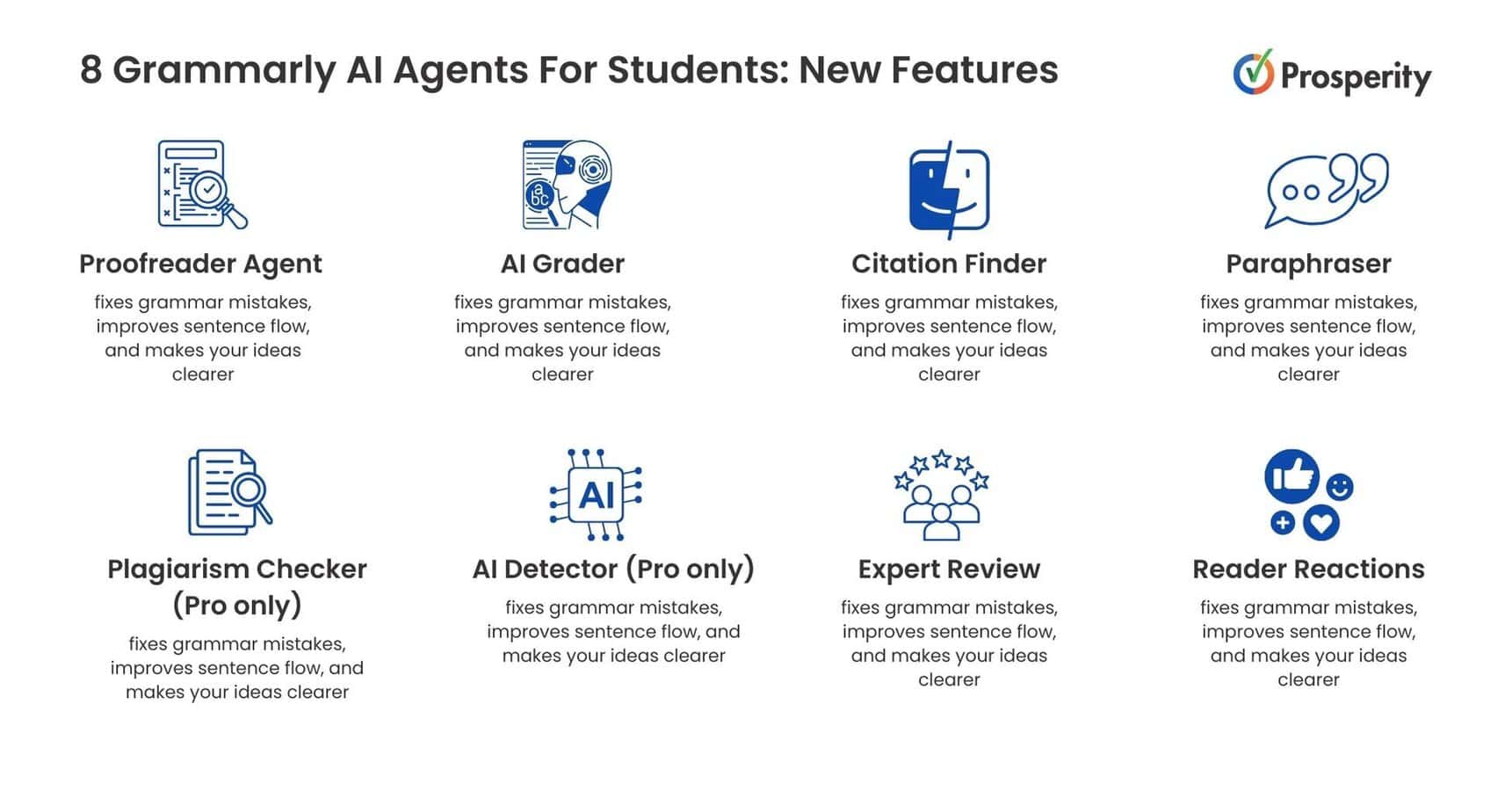
8 Grammarly AI Agents For Students: New Features
From proofreader agent to solving the confusion through readers’ reactions, Grammarly has updated its features wisely to assist students.
Here you will find both free and paid tools that can help you analyze whether to stick with the free plan or upgrade to the Pro version.
1. Proofreader Agent
This tool works like your personal writing coach. It fixes grammar mistakes, improves sentence flow, and makes your ideas clearer. The feature also strengthens your thesis statement and improves your paper’s structure. You get real-time suggestions as you type, helping you write better from the start.
2. AI Grader
Upload your instructor’s grading criteria and get a predicted grade before submitting your paper. This tool shows you exactly what areas need improvement to get better marks. Remember, this gives predictions only, not your actual final grade.
3. Citation Finder
Citation finder scans your writing and spots claims that need evidence to back them up. It searches online for credible sources that support your points or show you opposing viewpoints. You get ready-to-use citations that you can add directly to your paper, which makes research faster and more reliable.
4. Paraphraser
You can control how your writing sounds with this tool while writing any article or research paper. It changes your text to be more academic for formal papers or more casual for other assignments. Your original ideas stay the same, but the tone and style improve. This helps your writing sound more natural and less like it was written by AI.
5. Plagiarism Checker (Pro only)
The Plagiarism checker scans your work against 16 billion web pages to catch accidental copying. It spots similarities you might have missed and suggests proper citations for any borrowed content. This keeps your work original and helps you avoid trouble with academic honesty policies. Also, this tool is only available with the Pro subscription.
6. AI Detector (Pro only)
AI detector flags parts of your writing that sound like AI created them. It helps you avoid problems with school policies about AI use. The detector catches text that might raise concerns with professors, letting you revise those sections to sound more human and personal.
7. Expert Review
This feature gets the feedback from real experts in your field of study. It picks specialists based on your topic and gives you advice similar to that of published researchers. As your paper changes, different professional experts and authors review your work.
8. Reader Reactions
Set your target audience, like your professor or classmates, and see what they will likely think about your writing. This tool predicts what readers will remember, what confuses them, and what grabs their attention. You can fix unclear parts before submitting. This will make your writing more effective for your specific audience.
How To Use Grammarly’s New Features In A New Doc?
To access Grammarly tools, you need to have an app or an account on the Grammarly website. Here, we will see the steps from signing up to how you can use these features in your new doc.
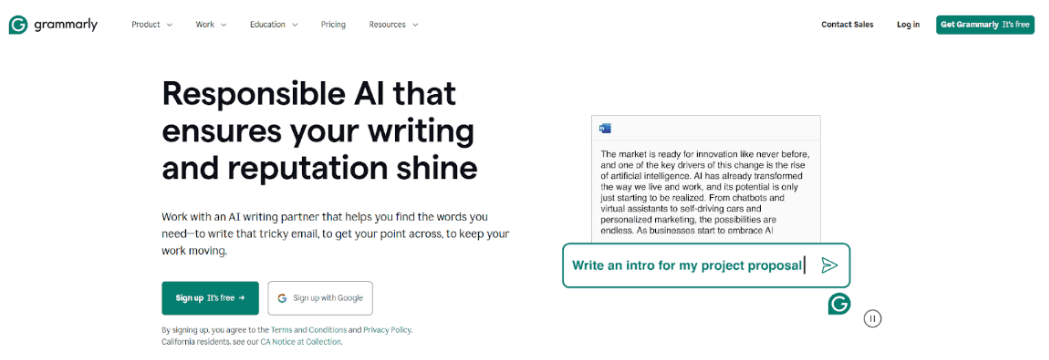
Step 1: Visit the official Grammarly website and click the ‘Sign up’ option on the screen.
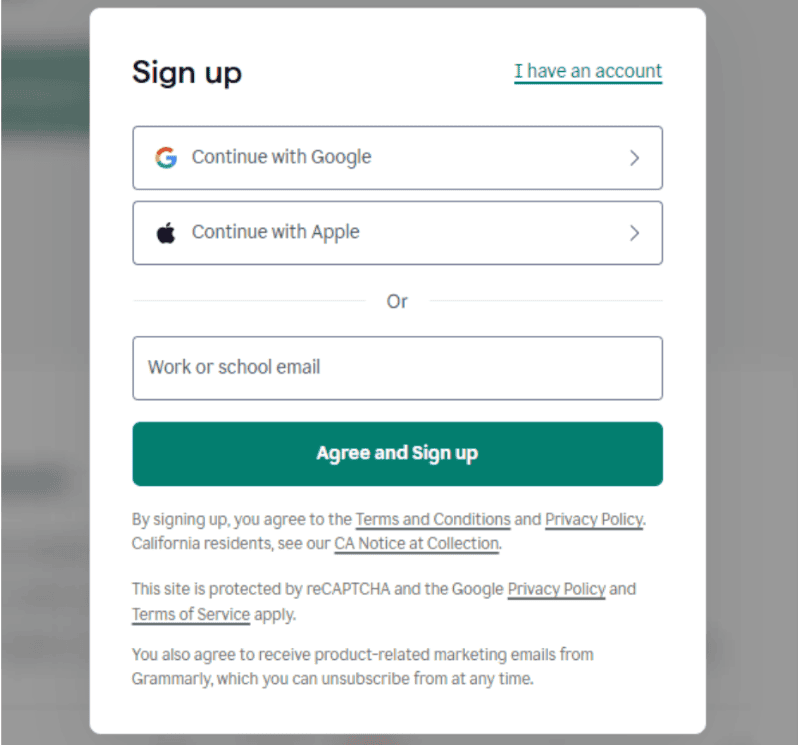
Step 2: Sign up through Google or Apple accounts. You can also create a new email, then click ‘Agree and sign up.’
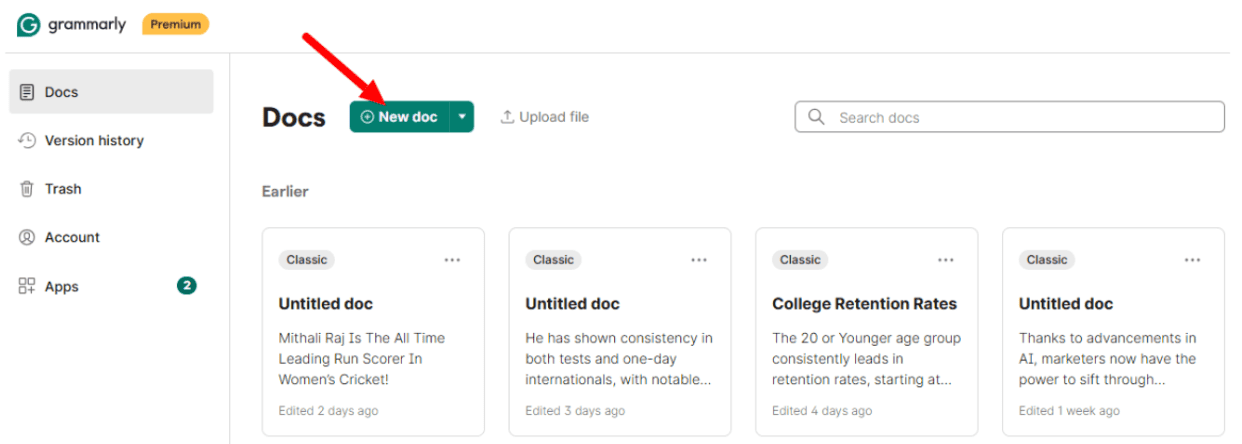
Step 3: On your personal dashboard, click ‘New doc.’
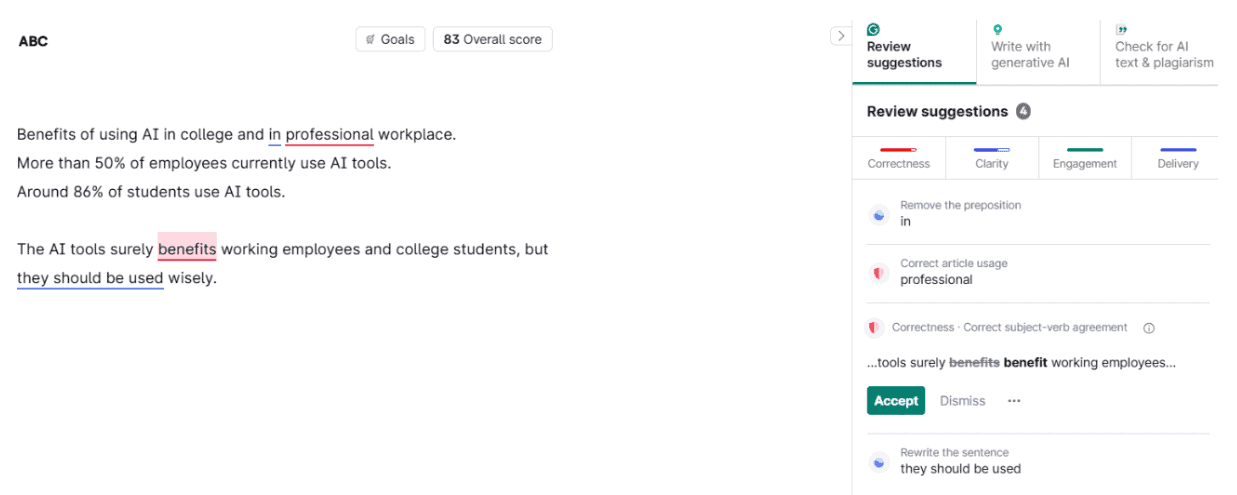
Step 4: You can write your content and check the right side panel suggestions. You can even select the option from there to enhance your writing.
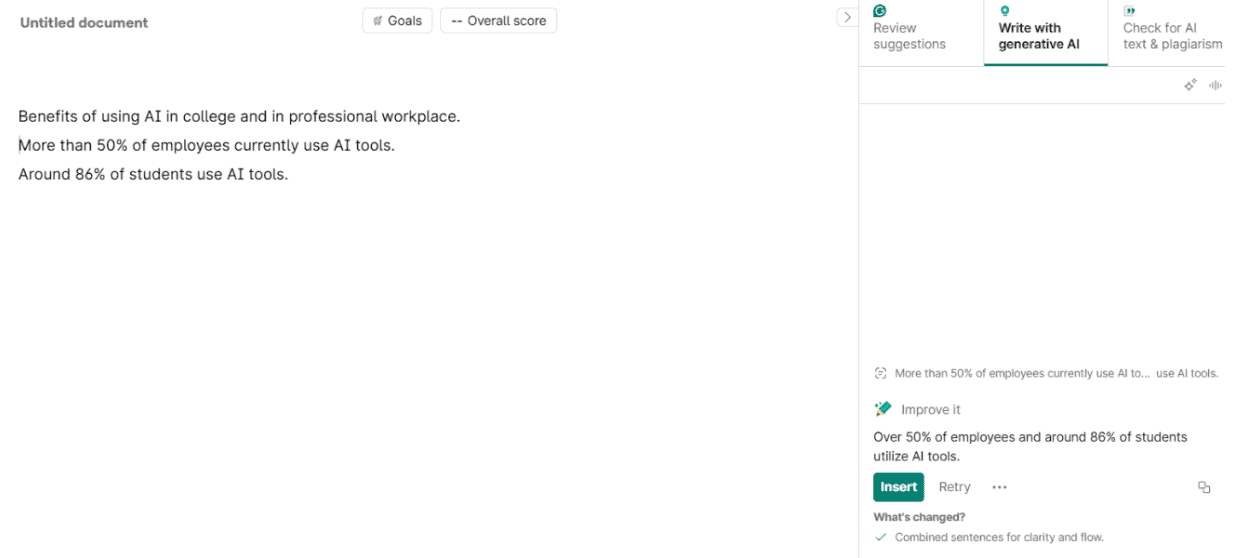
Step 5: Accept or reject suggestions based on your preferences. After writing the content, the document is saved automatically when you finish writing.
How Grammarly New Tools Will Help Students?
Grammarly’s new tools tackle common student writing challenges from start to finish. This makes academic success more achievable for everyone.
Here are the 7 ways these tools help students:
- Beats Writer’s Block: AI Chat provides instant writing prompts and ideas when students feel stuck on assignments.
- Improves Grades: AI Grader shows predicted scores and areas for improvement before submitting papers to professors.
- Finds Citations Fast: Citation Finder locates credible sources automatically, saving hours of manual research time for students.
- Prevents Plagiarism: Built-in checkers catch accidental copying and suggest proper citations to maintain academic honesty standards.
- Fixes Writing Style: Paraphraser adjusts tone from casual to academic, helping papers sound more professional and polished.
- Catches Grammar Errors: A Proofreader spots mistakes instantly, improving clarity and correctness throughout the entire writing process.
- Saves Time: All tools work together in one place, eliminating the need for multiple apps and websites.
Students feel more confident and less stressed when writing papers or assignments with these helpful tools.
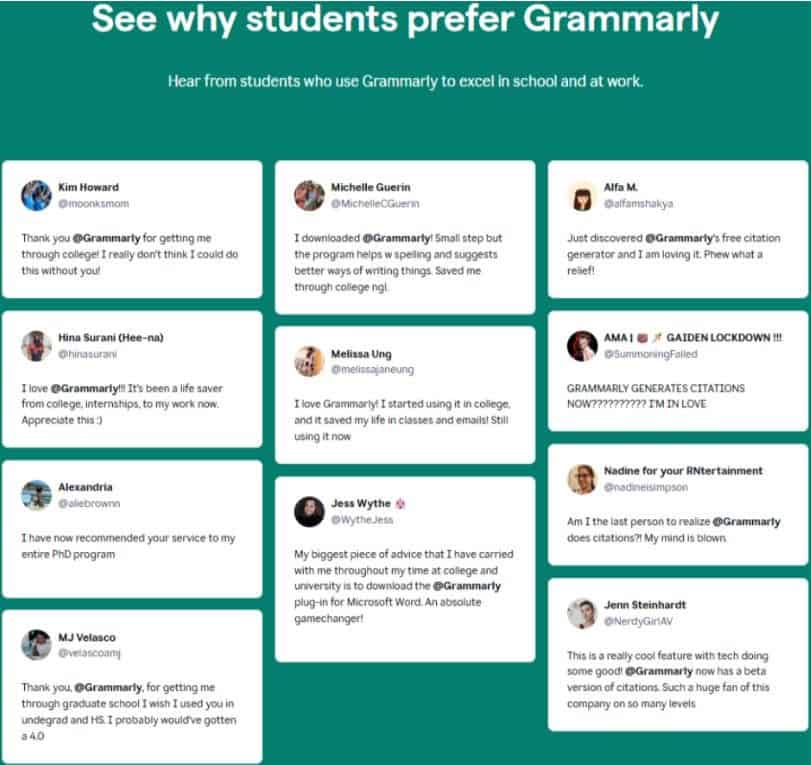
Overall, students have a great experience with Grammarly’s updated tools.
They liked how these tools helped them survive college and graduate school. Many say Grammarly saved their academic life, especially during tough semesters.
Kim Howard particularly mentioned how essential Grammarly became, stating she couldn’t complete college without it. Jess Wythe calls downloading Grammarly the best advice she carried throughout her entire university experience.
Students appreciate the spelling and grammar help that makes their writing clearer. PhD students recommend Grammarly to entire programs, while others wish they had discovered these tools earlier in their academic careers.
My Personal Experience With Grammarly Tools
I’ve been using Grammarly for over a year and watched it transform. The platform has upgraded to help students and professionals, too, who are using Grammarly.
The new AI Chat helps me brainstorm ideas when I’m stuck, and the citation finder saves hours of research time by finding credible sources automatically. Overall, all these updates make my writing more efficient and confident.
The new features are a must-try for students currently studying in a school or college. However, make sure not to become too dependent, as Grammarly can only assist you in your writing. But the fact-checking should be done manually.
Grammarly Free vs Pro Features
Grammarly’s free plan offers less features compared to the Pro version. The pro plan has additional tools, which include the free plan features, though.
Go through the table below, which highlights the free and pro features.
| Grammarly Features | Grammarly Free | Grammarly Pro |
|---|---|---|
| Price | $0/month | $12/month (annual) |
| AI Chat & Writing Prompts | 100 prompts/month | 2,000 prompts/month |
| Basic Grammar & Spelling | ✅ | |
| AI Writing Tools | Proofreader, Paraphraser, Citation Finder, AI Grader, Expert Review, Reader Reactions | All Free features + unlimited daily usage |
| Plagiarism Checker | ❌ | ✅ |
| AI Detector | ❌ | ✅ |
| Authorship Tracking | Basic tracking only | Advanced analytics + speedy citations |
| Writing Suggestions | Basic corrections | Advanced genre-specific suggestions |
| Performance Reports | ❌ | ✅ |
| Customer Support | Standard support | Priority support |
How Much Does Grammarly Cost?
Grammarly offers two paid plans Pro and Enterprise. Although Grammarly’s free plan is good, the upgraded versions will add more features, which will ultimately help in your assignments and projects.
Here is the breakdown of Grammarly pricing plans;
| Grammarly Plans | Monthly Billing | Annual Billing |
|---|---|---|
| Free | $0 | $0 |
| Pro | $30/ month | $12/ month (144/ year) |
| Enterprise | Contact Sales | Contact Sales |
The Pro plan is further bifurcated into the monthly, quarterly, and annual plans. You can select any one of those. However, the Grammarly Pro annual plan is more affordable than the monthly subscription.
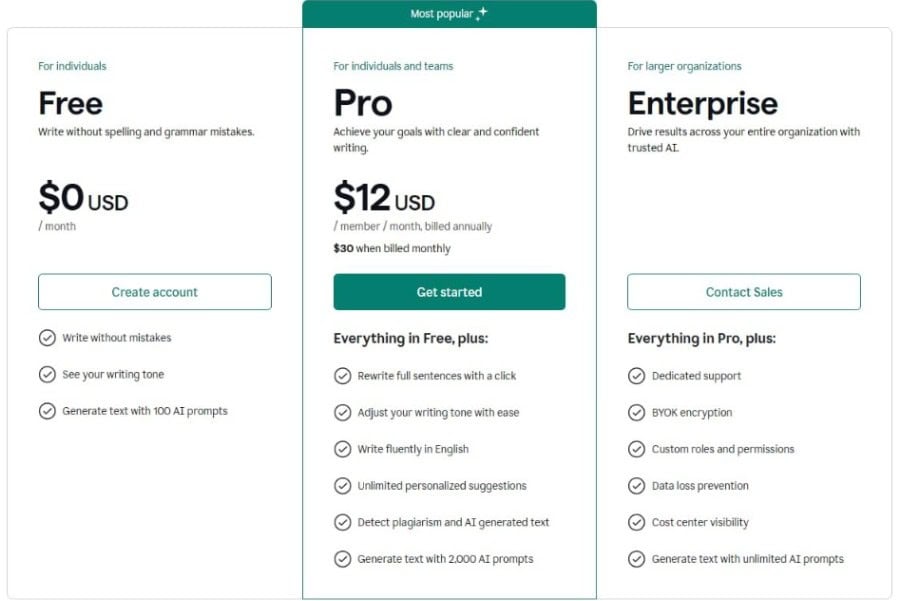
As you know, Grammarly’s free and pro plan features, let’s see here the Enterprise plan offerings, which are mostly beneficial to big organizations.
The Enterprise plan includes everything from Pro plus extra business features like dedicated support, custom user permissions, data protection, and unlimited AI prompts.
There’s no fixed price mentioned on the website, but companies can contact the Grammarly sales team to get custom pricing based on their specific needs and team size.
Conclusion: New Grammarly Student’s Edition Enhances Writing To Improve Productivity!
Grammarly’s updated edition is mainly helpful for students to enhance their writing, which ultimately improves productivity in terms of assignments or research papers.
Tools like proofreader agent, AI grader, paraphrase, and much more not only help in writing, but also guide our punctuation, sentence structure, and the wise use of words in daily life.’
A few AI tools are free, but others are included in the pro plan. If you are just a beginner, start with the free plan. Later, when you need Grammarly for advanced use, you can upgrade to a higher plan.
Enroll today and start using Grammarly’s new features, all in one AI writing space.
FAQs
Is generative AI in Grammarly free?
Generative AI features are available in both free and Pro plans, but free users get 100 monthly prompts while Pro users receive 2,000 prompts.
How can I use the Grammarly new edition features?
Visit the Grammarly official website, sign in to your account, click the ‘New Doc’ button, and start writing to access all AI tools in the right panel.
How does Authorship tracking work, and will my professor know I used it?
Authorship is optional and tracks text sources in real-time. Professors only know if you choose to share the tracking report with them.
Can I use Grammarly new features on my phone, or do I need a computer?
The new AI features currently work on desktop browsers only. Mobile devices can still use classic Grammarly, but not the updated tools.
Will the AI Grader actually predict my real grade accurately?
AI Grader provides predictions based on your criteria and content, but these are estimates only and may not match your actual grade.

- Teachable Coupon Code 2026 — 40% OFF Promo - January 1, 2026
- Grammarly Black Friday (2025) → Get 50% OFF Deals - November 27, 2025
- Coursera Black Friday Sale 2025 → Get 40% OFF [LIVE] - November 25, 2025