Your workday is full of writing. You write emails, reports, messages, and documents. Every day, you need to write things that are clear and sound good.
But writing takes time, and you have many other things to do. Sometimes you worry if your writing sounds right or if people will understand it.
What if you had a helper who could make your writing better? That’s what Grammarly does now. It’s not just a tool that fixes spelling anymore.
Today, Grammarly is like having a smart friend who helps you write better and faster.
Grammarly’s Evolution: From Simple Spell Checker to Smart Writing Helper
Do you remember when Grammarly only caught spelling mistakes? It would show red lines under the wrong words. That was helpful, but it was basic.
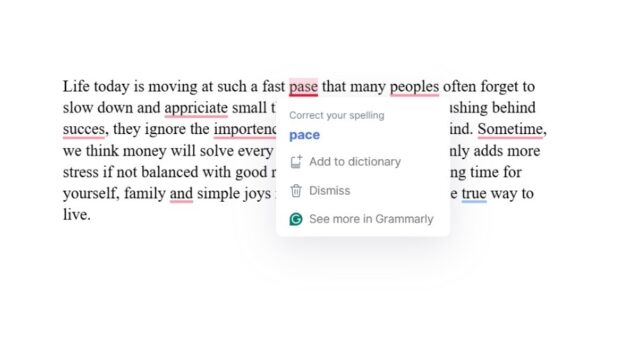
Many people still think Grammarly is just for students who need help with homework. But that’s old thinking.
Now, Grammarly has become much smarter. It has new AI tools that help you with all kinds of writing.

These tools understand what you want to say and help you say it better. It’s like having a writing expert sitting next to you at work, ready to help whenever you need it.
Why Grammarly Feels Like Your Best Work Friend?
Think about your favorite person to work with. They help you when you’re stuck. They know how you like to work.
They make things easier without taking over. That’s exactly how Grammarly’s new features work.
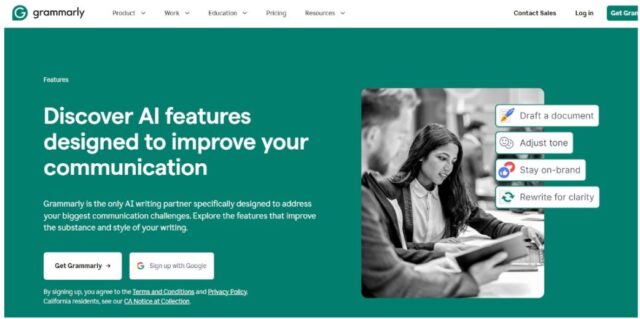
First, it’s always there when you need help. You can use it early in the morning or late at night.
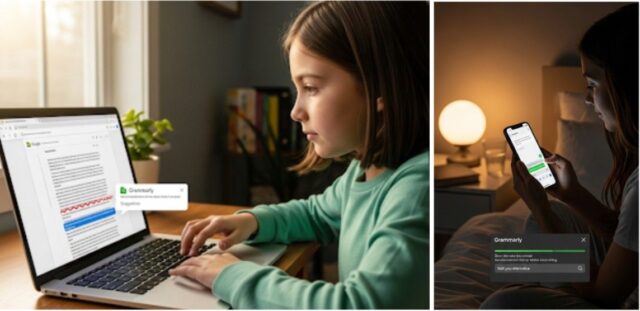
It works on your computer, phone, and in your web browser. You never have to wait for help.
Second, it keeps your voice. This is really important. When you write with Grammarly, it still sounds like you.
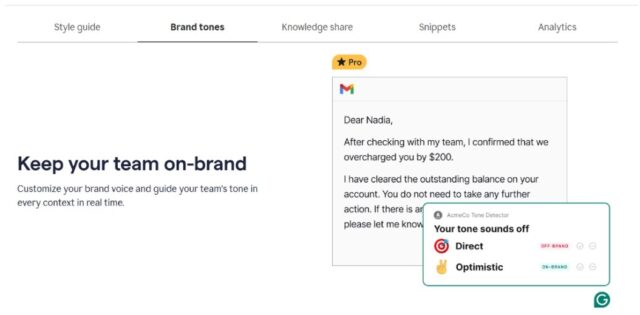
It doesn’t make your writing sound fake or robotic. People who know you will still recognize your style.
Third, it knows when to be formal or casual. If you’re writing to your boss, it helps you sound professional.
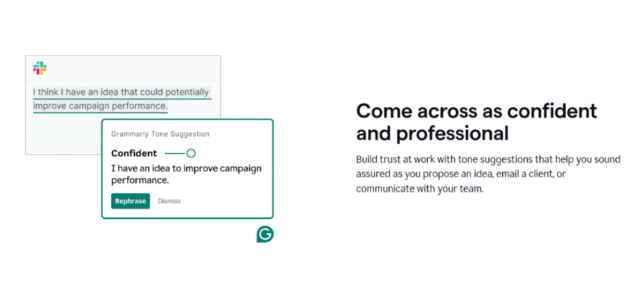
If you’re writing to your team, it can be more relaxed. It understands who you’re writing to and helps you use the right tone.
The Grammarly AI Tools That Make Your Work Easier
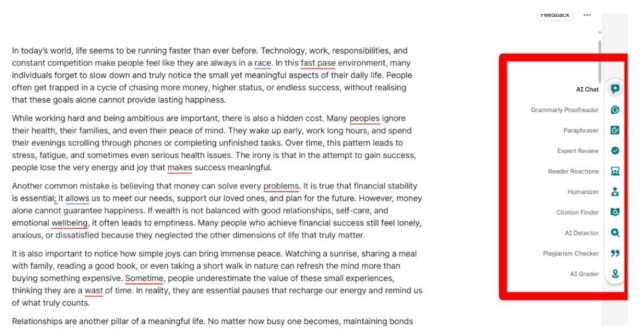
Here are the main tools that can help you write better every day:
1. Grammarly AI Chat
It’s like talking to a smart friend when you don’t know how to start writing. When you look at a blank page and feel stuck, you can ask AI Chat for ideas.

It helps you think about what to write and how to organize your thoughts. It doesn’t write for you; it helps you write better.
2. Grammarly The Proofreader
The Proofreader is much better than the old spell-check. It finds unclear sentences and suggests better words.
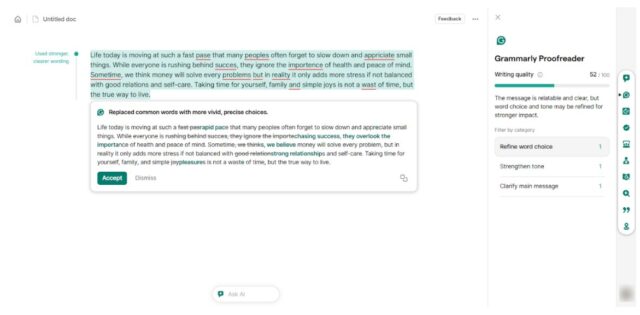
It helps your writing sound more confident and professional. It’s like having someone check your work before you send it.
3. The Grammarly Humanizer
Humanizer makes your writing sound warm and friendly. Sometimes your emails sound too cold or formal.
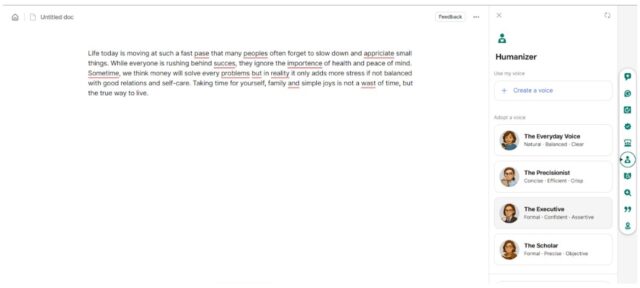
The Humanizer adds warmth so people feel comfortable when they read your messages. This helps you build better relationships at work.
4. The Grammarly Paraphraser
Paraphraser changes your tone quickly. Maybe you wrote something that sounds too casual for your boss.

You may need to make a formal report easier for your team to understand. The Paraphraser helps you say the same thing in different ways.
5. Grammarly Expert Review
Expert Review gives you feedback from people who know your topic well. If you’re writing about marketing, you get marketing expert advice.
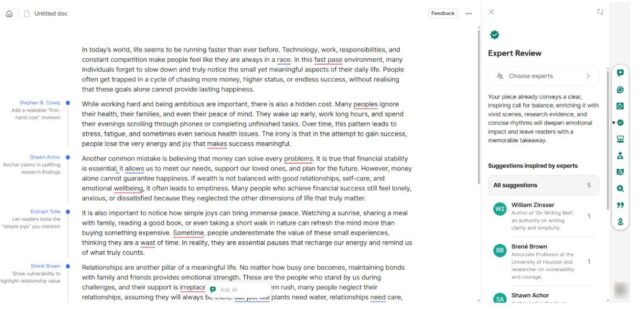
If it’s about technology, you get tech expert tips. This helps make your writing stronger and more convincing.
6. Grammarly Reader Reactions
Reader reactions tell you how people might respond to your writing. It predicts what questions readers will have and what parts might confuse them.
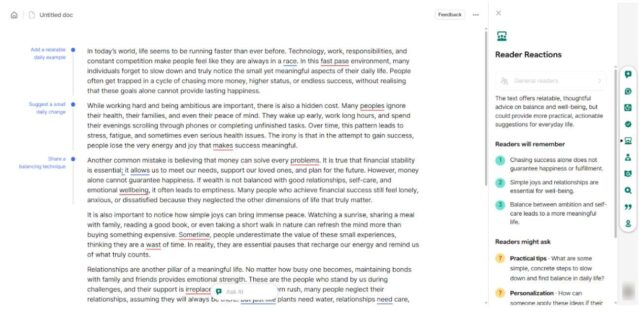
This helps you write in a way that people will understand and remember.
How Grammarly Helps You Every Day at Work?
Let me show you how these tools work in real situations:
When you write emails to clients, Grammarly helps you sound professional but friendly. The Proofreader makes sure there are no mistakes. The Humanizer adds warmth so clients feel valued.
When you create reports, AI Chat helps you organize complex information into simple, clear sections. The Paraphraser helps you explain technical things in ways everyone can understand.
When you write proposals to win new business, Expert Review makes sure your ideas are strong. Reader Reactions shows you if your main points are clear and convincing.
Why Choose Grammarly Over Other AI Tools?
You might ask why Grammarly is better than other AI tools like ChatGPT. Here’s the big difference:
Other AI tools create new text from nothing. Grammarly works with your ideas and makes them better.
ChatGPT gives you text that sounds generic and robotic. You have to edit it a lot to make it sound like you. Grammarly takes your thoughts and helps you express them clearly while keeping your personal style.
Also, Grammarly works right where you’re already writing. You don’t need to switch between different apps or copy and paste text. It helps you as you write, making everything faster and easier.
Grammarly Free Version vs Pro Version
Let me show you the key differences between Grammarly’s free and Pro versions. This will help you decide which option fits your work needs and writing habits best.
| Grammarly Free | Grammarly Pro |
|---|---|
| Basic grammar and spelling fixes | All advanced AI features included |
| Limited daily use of smart features | Unlimited use of all tools |
| Simple writing suggestions only | Expert Review and Reader Reactions |
| Good for occasional writing tasks | Perfect for daily professional writing |
For busy professionals who write multiple emails and documents daily, Pro offers the complete writing support you need.
The unlimited access and advanced features make it worth the investment.
Start Using Your AI Writing Partner Today
Work today requires good communication. You can’t afford to send unclear emails, weak proposals, or confusing reports.
Grammarly’s AI tools give you the help you need to write with confidence.
Try Grammarly Pro and see what it’s like to have an AI partner who makes your writing clear, professional, and effective.
You’ll wonder how you ever managed without it.
Related Reads:
FAQs
Do I need to download anything to use Grammarly’s new AI features?
You don’t need to download anything. Just go to app.grammarly.com and click “New Doc” to start using the AI tools in your web browser.
Will Grammarly work when I’m offline?
You can use the editor offline as long as you don’t refresh your browser page. Your work will be saved when you go back online.
Does Grammarly remember what I write between sessions?
Grammarly doesn’t save your content between different writing sessions. The only thing it remembers is your writing style if you create a voice profile.
Can I choose which experts give me feedback in Expert Review?
You can pick your own experts. Grammarly suggests experts based on your topic, but you can also type in specific expert names or choose different topic areas.
How is Grammarly different from regular chatbots like ChatGPT?
Grammarly doesn’t just generate text for you. It reads what you write and gives you specific steps to improve it. You stay in control of your writing while getting smart suggestions.

- WHOOP Student Discount 2026 – 1 Month Free + 10% OFF - July 27, 2026
- Teachable Coupon Code 2026 — 40% OFF Promo - January 1, 2026
- Grammarly Black Friday (2025) → Get 50% OFF Deals - November 27, 2025